

New AUv3 Plugin! Pre-Order Now on the App Store, 30% off (US Ref) Until Friday the 9th
GRAVITY Fred Anton Corvest

Spatial Frequency Shifter

Download on the App Store
  • Barberpole glissandos, spectral illusions, rotating stereo, evolving echoes
  • Dual Frequency Shifting, or Mono Shifting with Quadrature Stereo Widening
  • Organic Spiral Loop, from gentle feedback to pure analog self-oscillation
  • Integrated delay, diffusion blur, and independent low/high filtering
  • Modulation matrix, multi-source envelope follower
  • LFO with classic waveforms and random splines
  • Spinning modulation to rotate and animate the stereo field
  • Tempo-synced or MIDI-driven Frequency Shift, LFO, and Delay
  • Dry/Wet mix, optional limiting, and goniometer visualization
  • Advanced Responsive Design, portrait and landscape views
  • Universal Purchase: AUv3 for iOS (iPad/iPhone), macOS and Vision Pro

A Universe of Frequency Transformations

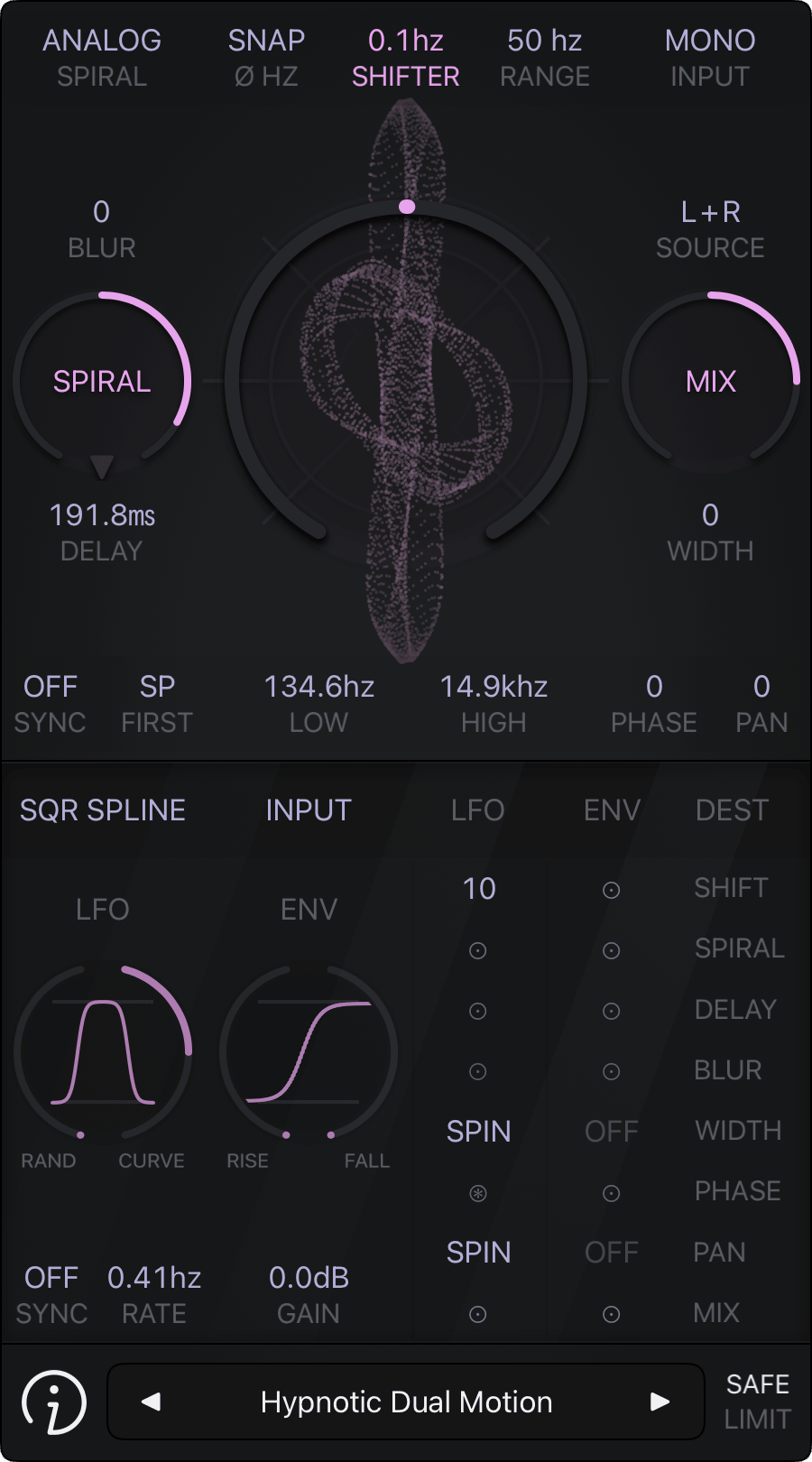
FAC Gravity AUv3 Plugin is a frequency shifter for creating Barberpole and Shepard style glissandos, spectral illusions, stereo rotation, chorusing, phasing, evolving echoes, infinite cosmic spaces, and all the combinations you’ll make.

The plugin gives you two ways to process the audio source. In Stereo mode, each channel is shifted independently, with a Ratio control determining how closely their frequency shifts align. In Mono mode, FAC Gravity extends the internal quadrature processing to create a wide stereo image from the mono source.

The frequency shift can move up or down, from subtle to more extreme spectral transformations. You can set the amount in Hz for classic Bode-style frequency shifting, make it follow your host tempo for rhythmic patterns, or even control it from MIDI notes for a more hands-on approach.

A new dimension appears when you let the shifter feed back into itself with Spiral, a customizable loop with delay, blur, filtering, and different characters that shape how the sound circles, smears, interacts, and evolves over time. The result can range from bubbling textures to infinite sustained tones and noisy analog self-oscillation. Each character takes the feedback somewhere different.

To dive deeper into new sonic dimensions, FAC Gravity comes with its own modulation module. The LFO, envelope follower, and flexible modulation matrix let you animate most parameters, from subtle evolving movements to complex, rhythmically reactive changes. You can even make the stereo field animate and rotate continuously by making the Width, Phase, and Pan parameters spin!

You can shape the effect further by blending the processed signal with the original, while the optional limiter keeps the most extreme combinations in check.

FAC Gravity works as an Audio Unit FX, featuring a clean, touch optimized interface with precise control and realtime goniometer visualization. It’s available as an AUv3 for iOS (iPad/iPhone), macOS, and Vision Pro, and requires a compatible AUv3 host app to run.
D
E
B
A
C
F
G
H
I

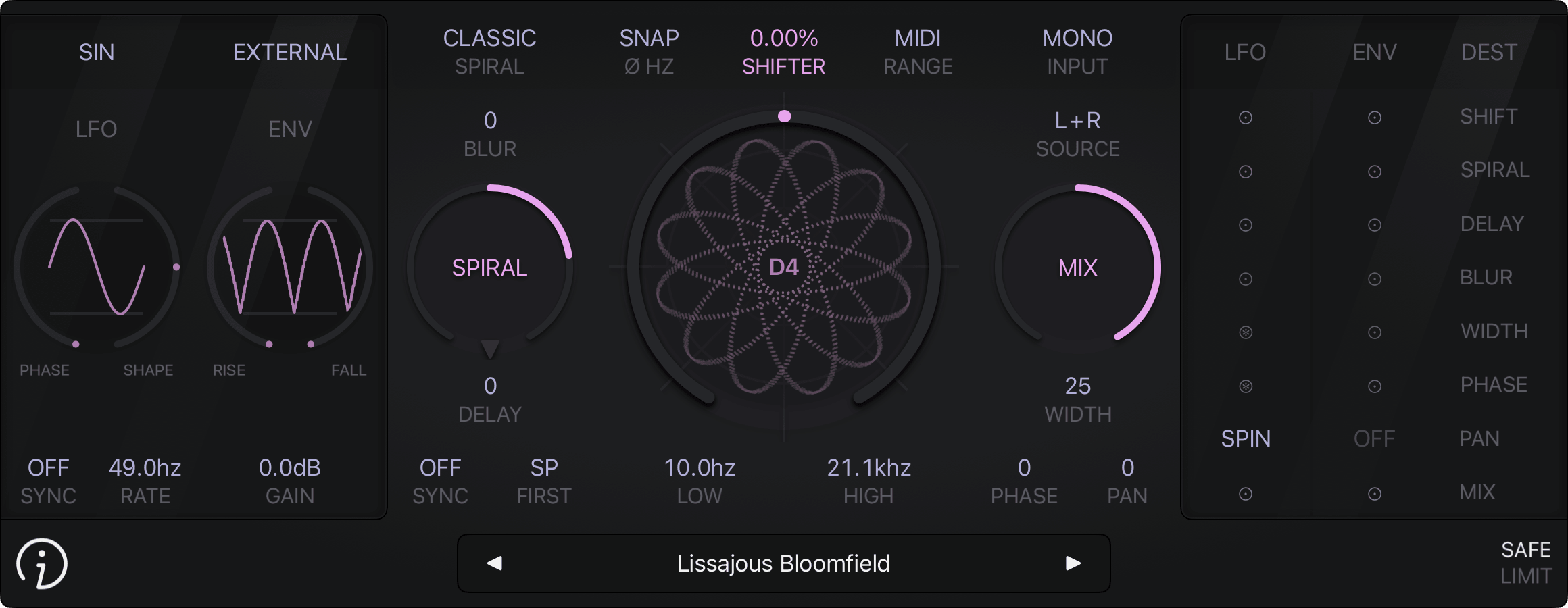
Ⓐ Frequency Shifting
  • Shifter Knob: Controls the amount and direction of frequency shifting. At the center, the shift is 0 Hz. Turning clockwise shifts frequencies upward and turning counter-clockwise shifts them downward. Each frequency component is shifted by the same amount, rather than scaled like a pitch shifter
  • Range: Sets the operating mode and range of the Shifter Knob, with three groups:
    • Freq: Fixed frequency ranges of 10 Hz, 50 Hz, 250 Hz, 1 kHz, or 5 kHz
    • Tempo: Host tempo synchronized divisions from 8 bars to 1/32 notes
    • MIDI: Uses the played MIDI note to derive the shift amount. 0% at the center for no shift, and −100% to +100% covering the full range in either direction. See the MIDI section below for setup details
  • Zero Snap: When enabled, the quadrature phasor returns to its nominal position whenever the frequency shift reaches 0 Hz, ensuring a consistent stereo image and sound at the zero-shift position
  • Goniometer: Provides a real-time visualization of the stereo field
Ⓑ Feedback Loop
  • Model: Selects between three feedback characters, each shaping how the loop behaves and sounds. Classic provides a clean spiral feedback character, ideal for bubbling textures. Gentle produces smoother, more controlled self-oscillation, while Analog adds more coloration and noise for more aggressive textures
  • Blur: Smears the feedback signal over time, softening its definition and creating more diffuse, reverb-like textures
  • Spiral Knob: Controls the amount and direction of the feedback. Positive values produce rising glissandos, while negative values produce falling glissandos. Higher amounts increase the intensity and persistence of the spiral. At extreme feedback levels, Classic can reach the output limit, while Gentle and Analog continue to build within their respective feedback character
  • Delay Time: Sets the delay time within the feedback loop, using tempo divisions in Sync mode or milliseconds in free-running mode
    • Sync: Switches between host-tempo-synchronized divisions and free-running delay time
    • Order: Determines whether the Spiral or Delay process comes first. First DL provides the classic delay-feedback behavior, where the feedback appears after the delay time. First SP lets the Spiral build immediately before passing through the delay, creating a more immediate buildup followed by delayed echoes
  • Filter: Shapes the feedback output with independent HPF and LPF controls, allowing you to remove low and high frequencies from the signal
Ⓒ Input/Output
  • Input: Selects how the audio source is processed:
    • Mono: Extends quadrature processing to create a stereo image from the mono signal selected by Source: L+R, L, or R
    • Stereo: Processes both channels independently, with Ratio controlling the relationship between their frequency shifts. At 1.0, both channels receive the same shift, while at −1.0, they shift by the same amount in opposite directions. A shift ratio different from 1.0 does not automatically widen the stereo image, some amount of frequency shifting is required
  • Mix: Controls the balance between the dry and processed signals
  • Width: Controls the width of the final stereo image. At 0%, the output is mono
  • Phase: Sets the phase position of the frequency shift
  • Pan: Positions the final output to the left or right within the stereo field
Ⓓ LFO Generator
  • Waveform: Provides classic waveforms such as Sine, Triangle, Ramp Up, Ramp Down, Square, and Impulse, along with spline-based shapes such as Sine, Square, Bounce, and Stair. Spline shapes can be fixed or randomized for more evolving, non-repetitive modulation patterns
  • Dual Knob: Each waveform group has its own controls. For classic waveforms, the left knob adjusts the phase position and the right knob controls the waveform shape. For spline waveforms, the left knob controls the amount of randomness and the right knob controls the curve tension
  • Sync/Rate: In Sync mode, the rate follows tempo divisions from the host. In free-running mode, the rate is set in Hertz. In MIDI mode, the played note sets the rate, with an additional shift control to offset the resulting rate. High rates and higher MIDI notes can push the LFO into audio-rate territory. See the MIDI section below for setup details
Ⓔ Envelope Follower (ENV)
  • Source: Selects the signal that drives the envelope follower:
    • Input: The input signal entering the plugin
    • Unipolar: A unipolar version of the running LFO
    • External: The sidechain signal provided by the host
  • Dual Knob: Controls how quickly the envelope responds to rising and falling signal levels, with separate settings for each direction
  • Gain: Sets the overall level of the envelope follower signal

Note on Audio-Rate Modulation: Depending on the frequency relationship between the modulating signal and the audio signal, the stereo image can lock into stable, repeating shapes, visible on a goniometer. Audio-rate modulation can also cause AM sidebands, adding new frequency components around the original signal and potentially changing its timbre

Ⓕ Modulation Matrix
  • Sources: Provides two modulation sources, LFO and ENV, which can be assigned independently to the available destinations
  • Destinations: Provides modulation controls for Shift, Spiral, Delay, Blur, Width, Phase, Pan, and Mix. Each cell sets the amount of modulation applied by its source to the selected destination
  • Spinning: For Width, Phase, and Pan, high positive or negative modulation amounts can create continuous rotation or spinning effects. When spinning is active, ENV modulation is not available for these parameters
Ⓖ Preset Button Ⓗ Info Button
  • Preset manager (Tap or long press)
  • Review the app, Tip Jar to support FAC, documentation...
Ⓘ Limiter
  • Optional output limiter, choose from soft, safe, or Off

MIDI Setup: The plugin accepts MIDI notes from compatible host to control LFO Rate and Shifter Amount

  • Channel 0: Both parameters at once
  • Channel 1: LFO Rate only
  • Channel 2: Shifter Amount only

Both parameters must be set to "MIDI". Monophonic voice priority (Last Note Wins)

Always check your audio levels

In general, use the gain in parsimony, to avoid any excessive levels that may damage your ears or your system. FAC Gravity shall not be liable for any loss or damage of whatever nature (direct, indirect, consequential, or other) to your material (software, hardware, or other)

As with all FAC products, the interface has a unique sober look and provides a great user experience. The value of each knob can be monitored at any time. The knobs are very responsive, natural and follow a specific curve according to the parameter type

Preset Management

FAC Gravity also comes with factory presets to provide you a source of inspiration to satisfy your needs in any situation you might require

The preset button provides common management features: loading, organization, saving, importing and exporting. The left and right arrows allow fast navigation shortcuts among all the presets (factory + user), a short press on the center label provides a detailed list of all the available presets, select the one you want to work with. On the other hand a long touch (hold) provides contextual operation

Creative and Expressive Frequency Shifting
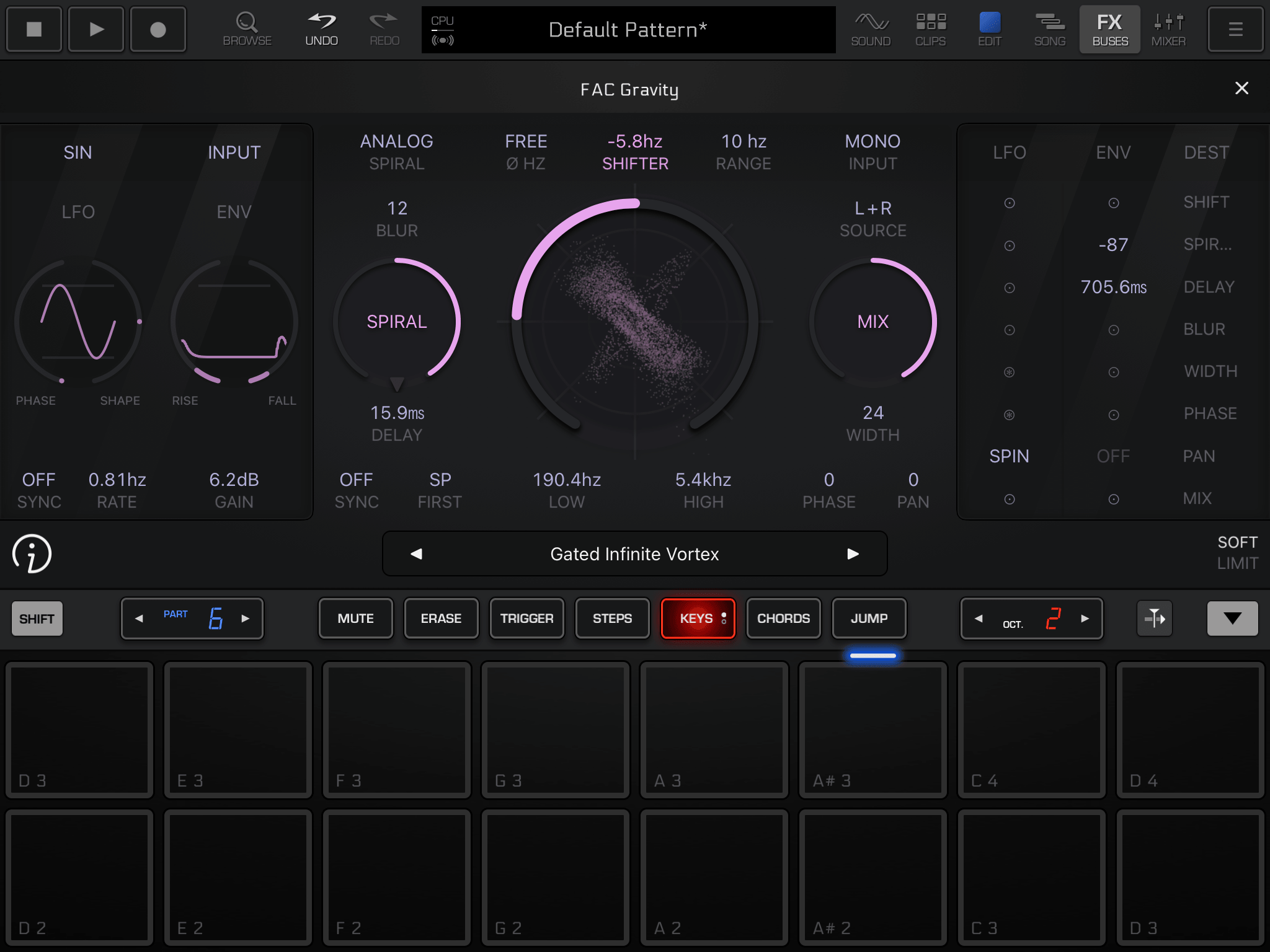

FAC Gravity - Groove Rider 2
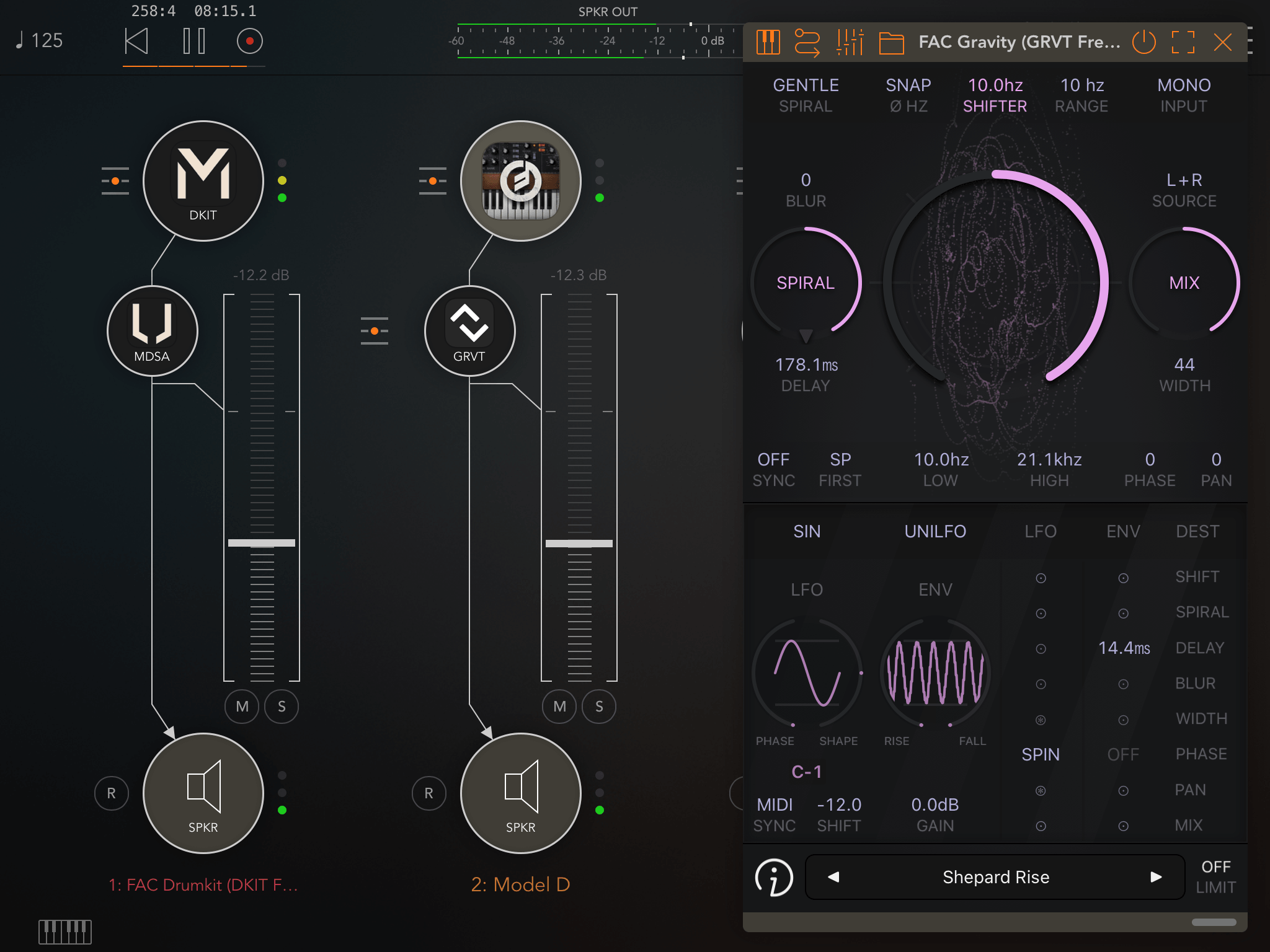

FAC Gravity MIDI Sync C1 - AUM
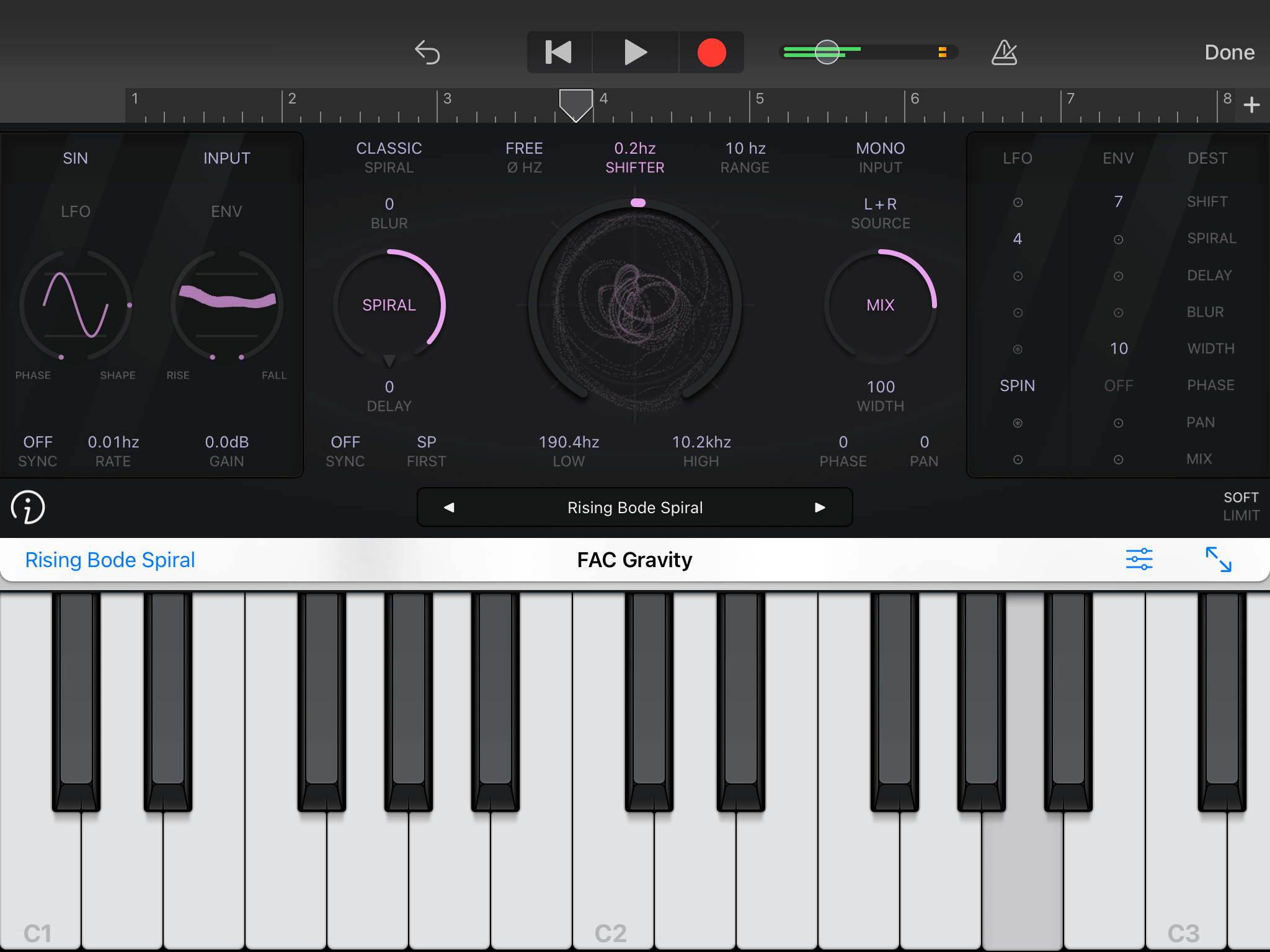
FAC Gravity - Garage Band
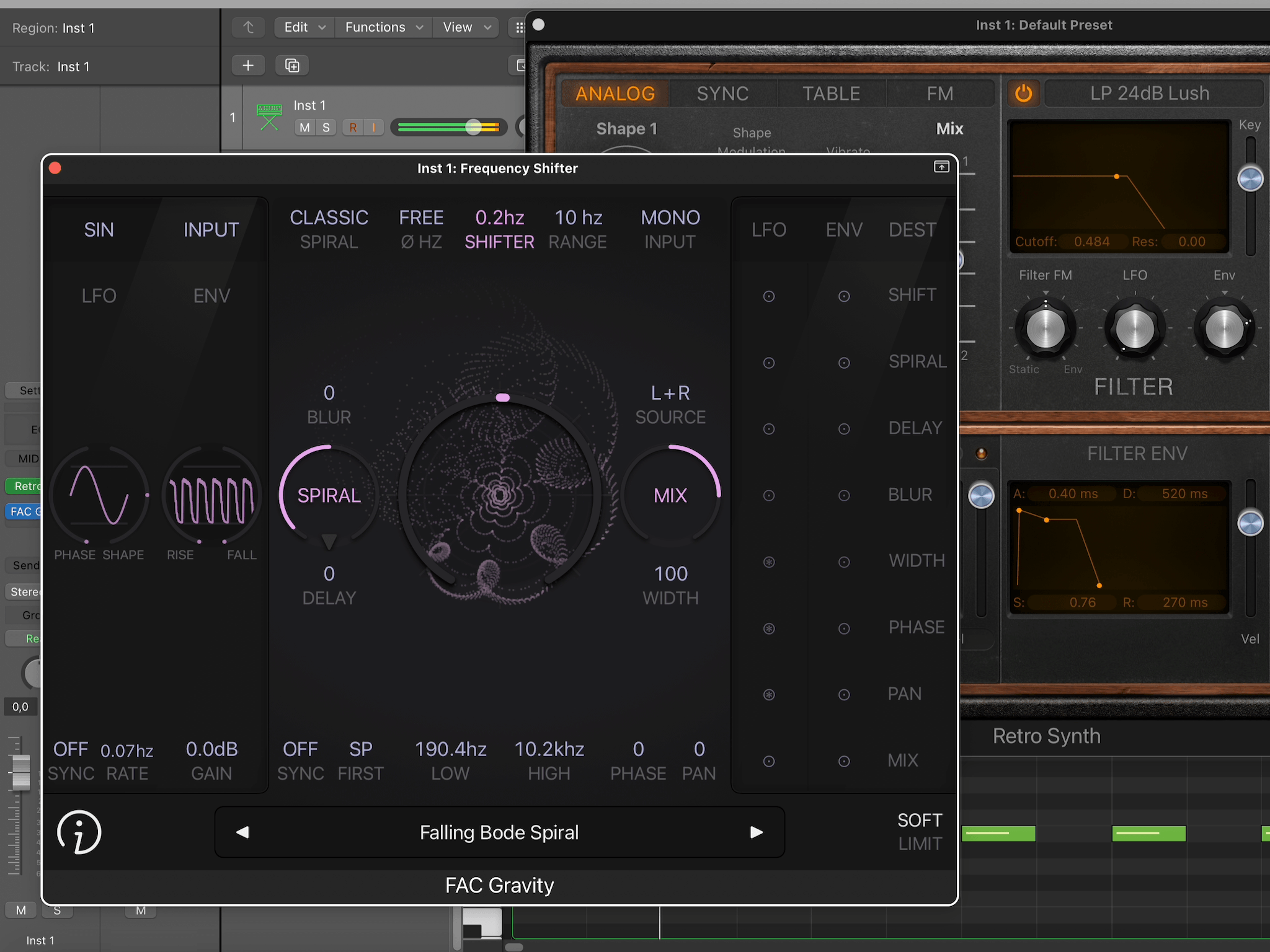
FAC Gravity - Logic Pro (macOS)